Tap the corners, read the area
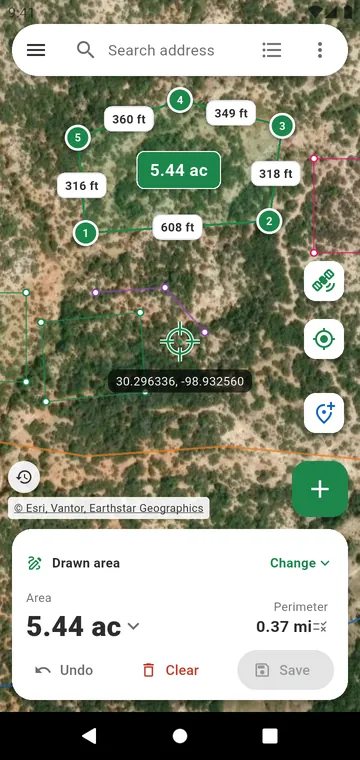
Choose Drawn area in the panel at the bottom of the map, then put the crosshair on a corner and tap +, or simply tap the map. Each side shows its length, the area appears in the middle of the plot, and the panel gives the area and the perimeter. Drawn distance does the same for a line: a fence, a path, a pipe.
Find your land first
The search bar takes a village, an address or coordinates — decimal degrees, degrees-minutes-seconds or UTM. The map opens on your country and the drawing map on satellite view; the background button switches between Map, Satellite, Hybrid and Terrain. The date of the satellite photo is shown on the map, and older years can be shown to see what has changed.
Fix any mistake
- Undo goes back step by step, even after Clear.
- Drag a point to move it: a magnifier shows what is under your finger.
- Hold a side to insert a point; tap a point to see its coordinates or delete it.
- A point placed next to the corner of a saved measurement snaps onto it, so neighbouring plots share their boundary exactly.
Real plots are not rectangles
The ⋮ button opens the tools: Add another plot to measure several fields with their total, Add a hole to take a pond or a house off the area, a Circle or pivot sector for pivot irrigation, a Rectangle at the size you enter, and Add a plan or a drone photo to trace over it. Measured the sides with a tape? Enter measured lengths builds the plot from them.
How precise is it?
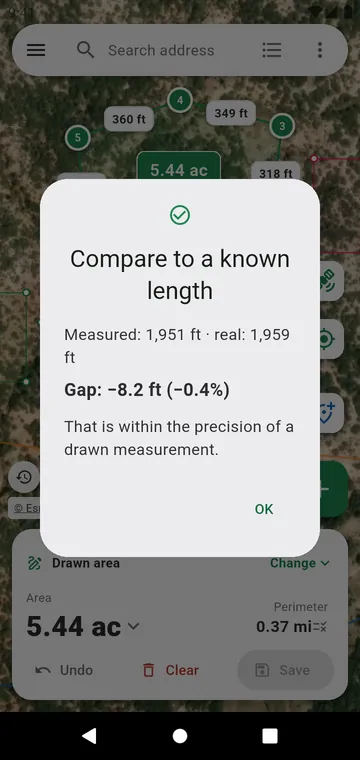
As precise as your taps on the image: often a few metres. Zoom in before placing each corner. To check, draw something whose length you know with Compare to a known length — see Accuracy.