

Distance on foot
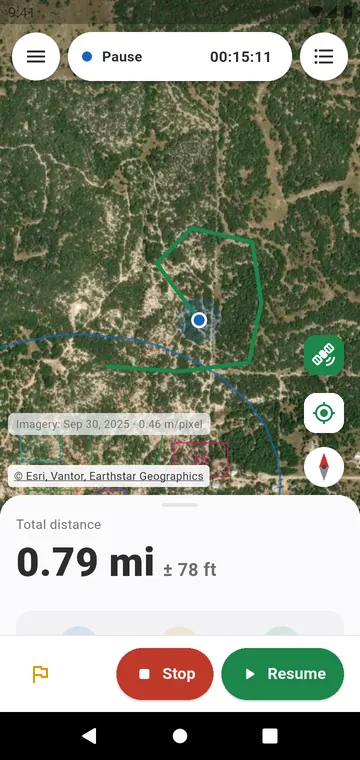
Choose Distance on foot and press Start. The app counts the distance as you move — on foot, by bike, on a tractor or in a car — and shows it with its margin of error, for example 1.24 km ± 18 m. Each GPS fix is filtered and smoothed, jumps are rejected, and standing still adds nothing.
Area on foot
Choose Area on foot and walk all the way around the field: the area and the perimeter grow as you go. When you get back to your starting point, the phone vibrates and the loop closes. For a plot with few corners, Corner by corner is more precise.
Made for the field
- The measurement keeps going with the screen off and the phone in your pocket; the notification shows the distance.
- Auto-pause when stopped stops the timer when you stand still and restarts it when you move.
- If the phone closes the app, the measurement is kept: reopen it and choose to resume, save or discard it.
- A full-screen map with a lock, so nothing happens in your pocket; hold to unlock.
- Markers with a name, an icon and a photo: gate, stake, well, tree, boundary stone.
- Voice announcements at every kilometre or mile, off unless you turn them on.
After the walk
Save the measurement to see its elevation and speed profiles, its splits, and to trim its start or end. A saved walk can be resumed later from where it stopped.