


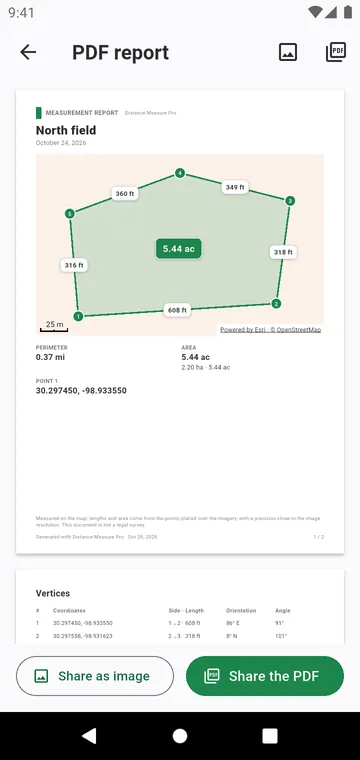
What the report holds
- The map of the measurement with a graphic scale bar.
- The figures with their margin of error: area, perimeter or distance.
- For a plot, a table of its corners: coordinates in the format you chose (decimal degrees, DMS or UTM), the length and bearing of each side and the interior angle at each corner.
- Your notes, and your markers with their photos.
- The terrain chapter, when terrain has been computed.
Where to find it
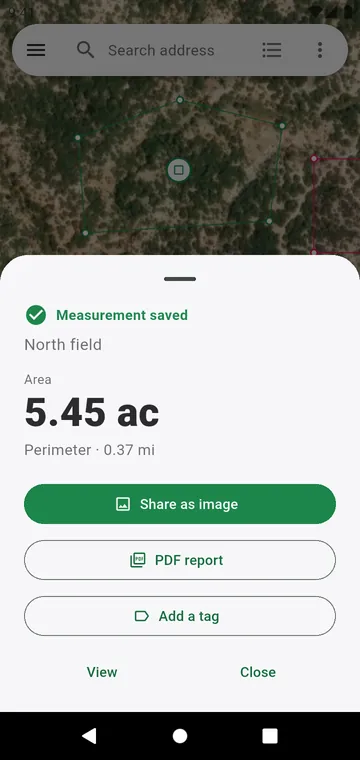
Right after Save, the result stays on screen with Share as image and PDF report. Later, open the measurement from My measurements, or use PDF report in the Share group of the map tools.
A picture for a message
Share as image puts the map and the figures in one picture, ready for WhatsApp or an email. Share summary sends the figures as text.
The same figure appears on the screen, in the report and in every exported file.