
Measure land area and distance with your phone
Draw a field on the satellite map without moving, or walk it by GPS. Distance Measure Pro gives the area, the perimeter and how far the figure can be trusted — in acres, hectares or your country's land unit.

 Scan with your phone to install
Free on Android · No account · No subscription
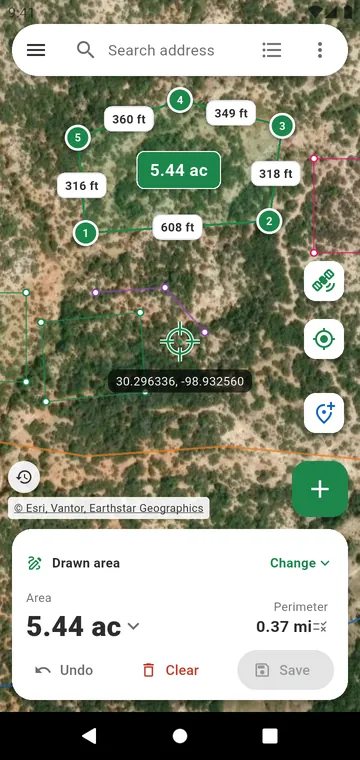
How it works
- 1
Find your land
Search for a village, an address or coordinates. The map shows it from the satellite.
- 2
Measure it
Tap its corners on the map. Or walk around it with the GPS.
- 3
Share the result
Read the area in your unit. Send it as an image, a PDF or a file.
Distance Measure Pro in 20 seconds
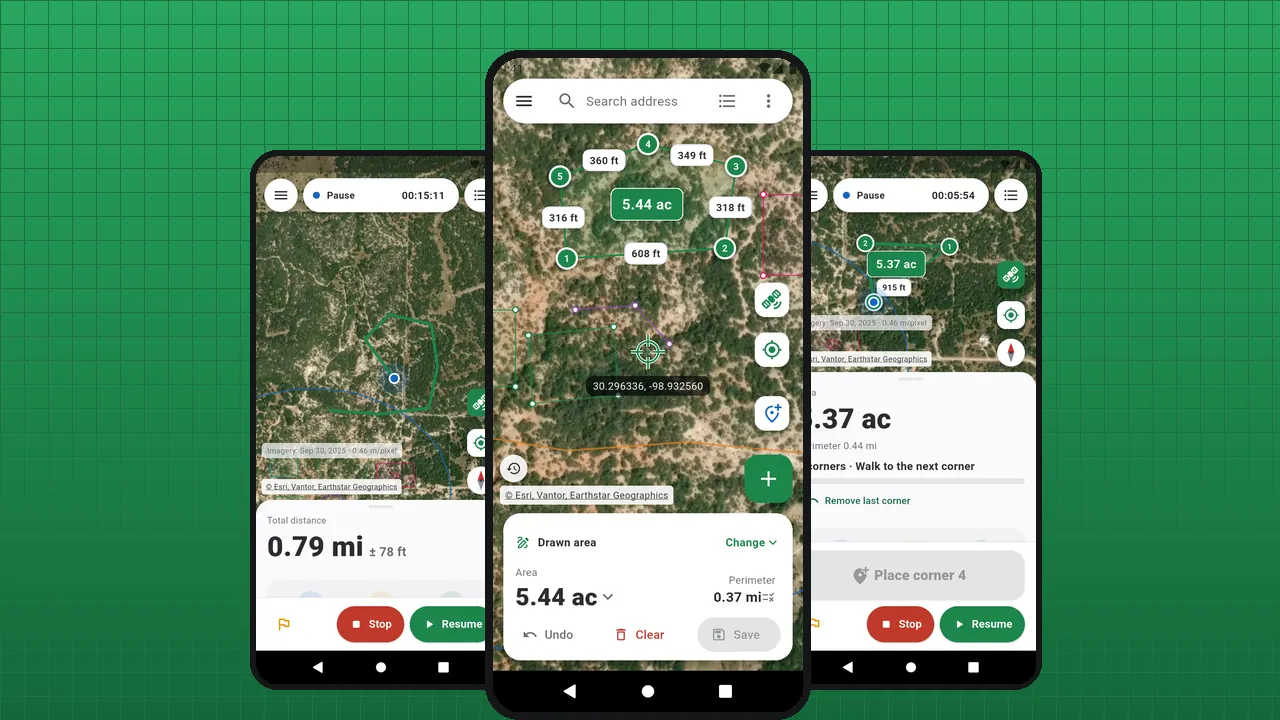 Play the video · 21 s
The video plays on YouTube. Nothing loads from YouTube until you press play.
Distance Measure Pro is an Android app that measures distances and land areas. The area of a piece of land is the surface inside its boundary: a field, a plot, a garden. It is counted in square metres, hectares, acres, or a local unit such as the bigha.
You need the area of a field before buying seed, the length of a fence before ordering posts, the size of a plot before signing for it. Open Distance Measure Pro, search for the village or the address, switch to satellite and tap the corners: the side lengths appear on the map and the area in the middle. Can't see the land from above? Walk around it, or stand at each corner, and the GPS does the measuring — with a ± that tells you how good the figure is.
- Draw on the map — corners under a crosshair, holes taken off, several plots with their total, undo step by step. Land area calculator
- Walk it by GPS — live distance with its margin of error, the area of a field by walking around it, screen off. GPS distance measure
- Corner by corner — stand at each corner, the app averages your position like a surveyor's. Corner by corner
- Your units — acres, hectares, square feet, and guntha, bigha, kanal, marla, rai, feddan, dunam… Land units
- Share the result — a PDF report to scale, a picture for WhatsApp, GPX, KML, DXF or Shapefile files. PDF report
There is no account to create and no subscription. Your measurements stay on your phone; one small banner pays for the app, and one purchase removes it.
Everything to measure a piece of land
Land area calculator
Find your land, tap its corners on the satellite photo, read the area. No need to go there.
GPS distance measure
Press Start and walk. The distance adds up live, with a ± that says how far it can be off.
Corner by corner
Walk to each corner, stand still a few seconds, place it. The area comes from the corners, not from the path you walked.
Accuracy
A phone's GPS is accurate to a few metres, never to the centimetre. Distance Measure Pro says how far each figure can be off, instead of showing decimals it cannot justify.
Land units
The area in the unit you think in — and in the one written on the deed.
Terrain and slope
A field on a hillside is larger than its map area. Terrain gives the elevation, the slope and the true surface of a drawn plot.
PDF report
The map to scale, every side and angle, the coordinates of each corner, your photos — on an A4 page.
Export files
A plot drawn on your phone, opened in Google Earth, AutoCAD, QGIS or Excel.
Privacy
No account, no cloud of ours. Here is everything the app sends over the network, and why.
Why Distance Measure Pro
- Free: every feature
- No account
- GPS measuring without a network
- Acres, hectares and local land units
- 43 languages
- Android 8.0 and later
See it in the app
A plot drawn on the satellite map: side lengths and area
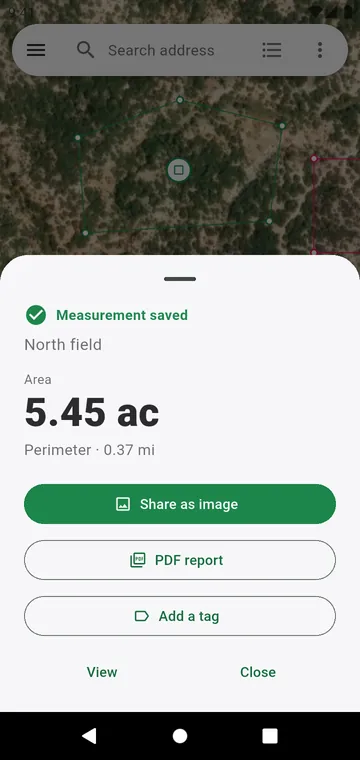
The result after saving, ready to share as an image or a PDF
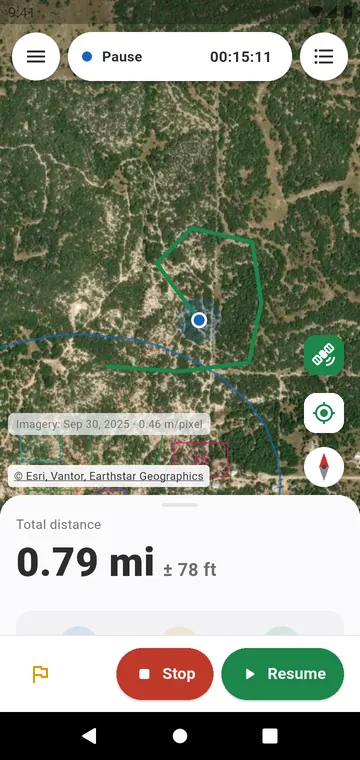
Measuring on foot: live distance with its margin of error
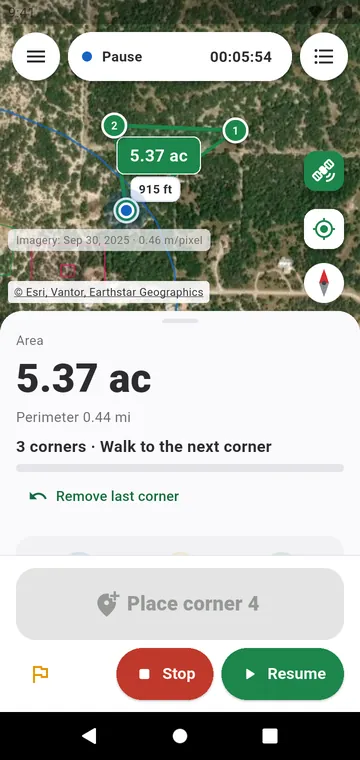
Corner by corner: the area from averaged GPS corners
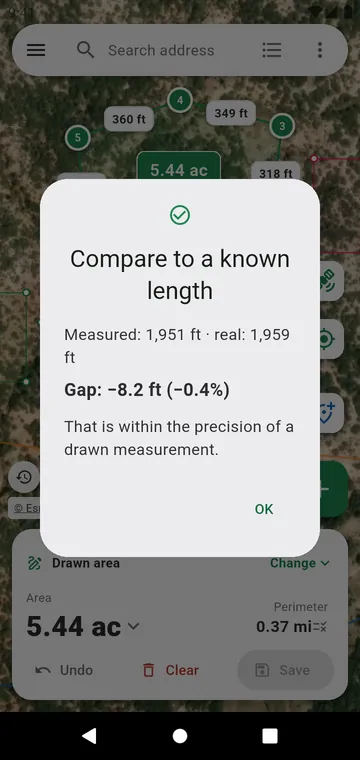
Checking accuracy against a length you know
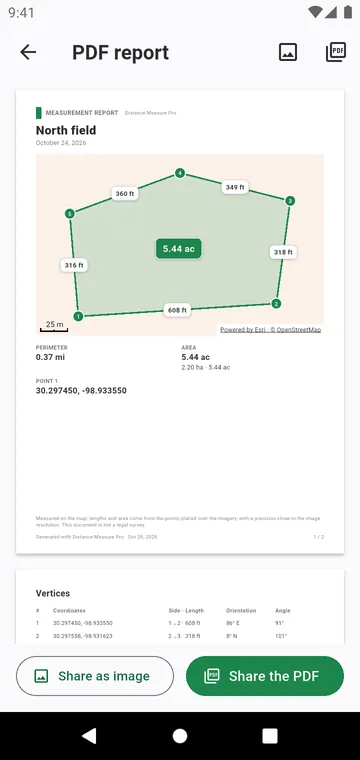
The PDF report: map to scale, sides, angles and coordinates
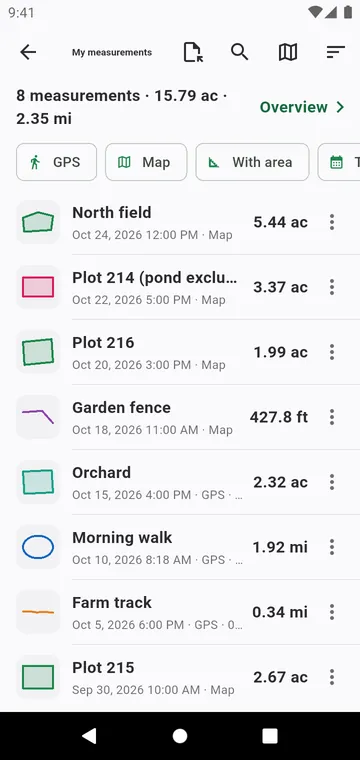
My measurements, with filters, totals and exports
Guides
Measure land area with a phone
A phone is enough to measure a field, a plot or a garden. Here are the three ways to do it, and when to use each.
Measure land by walking
Walk around the field with your phone and the GPS draws its outline. A few habits make the difference between a rough and a good figure.
Measure distance on a map
The length of a fence, a path or a pipe, measured on the satellite map from your phone — point by point, segment by segment.
Land units conversion
Land is measured in different units from one country — sometimes one district — to the next. Here are the common ones, and how to measure directly in yours.
GPS accuracy
A phone's GPS is good to a few metres. What that means for a field, a fence or a garden, and how to know how far your own result can be trusted.
Your next measurement takes a minute
Find your land, tap its corners, read the area — in acres, hectares or your own unit.